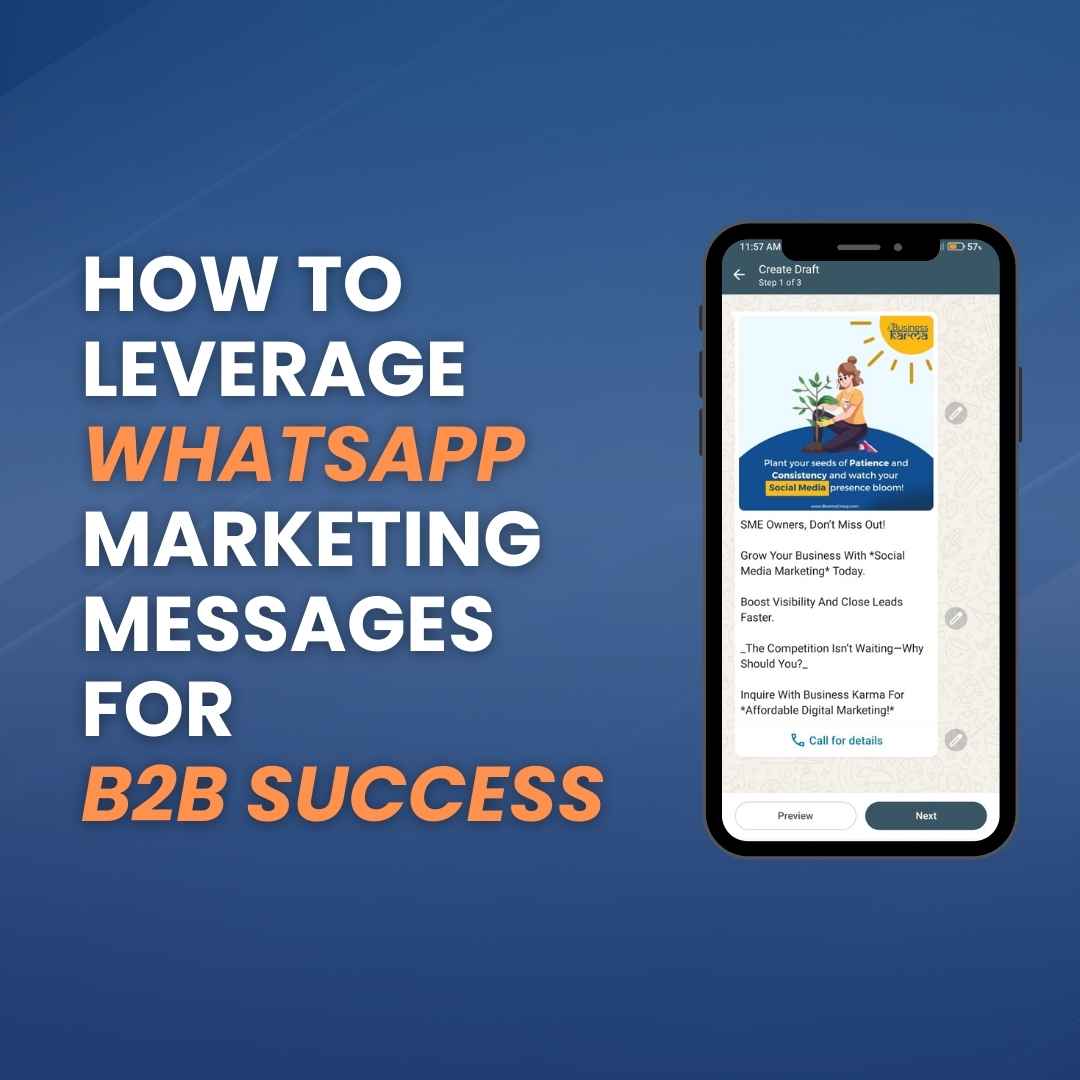

Learn how to leverage WhatsApp Marketing Messages for B2B success.
Written By: Business Karma Team
November 22,2024
5 min read
How to Leverage WhatsApp Marketing Messages for B2B Success
In today’s fast-moving B2B world, connecting with clients isn’t just about communication—it’s about creating meaningful, personalized interactions that drive results.
That’s where WhatsApp Marketing Messages shine.
With open rates exceeding 90%, WhatsApp messages crush email campaigns in engagement and offer a more direct way to build relationships.
Want to know how to harness this tool for your business?
Let’s dive in to uncover what makes it so powerful, how to use it effectively, and why it’s a must-have in your marketing arsenal.
What Are WhatsApp Marketing Messages?
WhatsApp Marketing Messages let businesses send personalized, schedule & targeted communications to their audience.
Unlike cold emails or generic SMS, these messages feel conversational, engaging, and, most importantly, relevant.
Here’s what makes this feature stand out:
Opt-In Model: Only customers who have opted in receive messages, ensuring compliance with privacy laws and enhancing trust.
Rich Media Support: You can send text, images, videos, buttons, and even PDF documents to create an engaging client experience.
Everyday Platform: Clients already use WhatsApp daily, which makes your messages feel like natural, non-intrusive touchpoints.
Step-by-Step Guide to Setting Up WhatsApp Marketing Messages
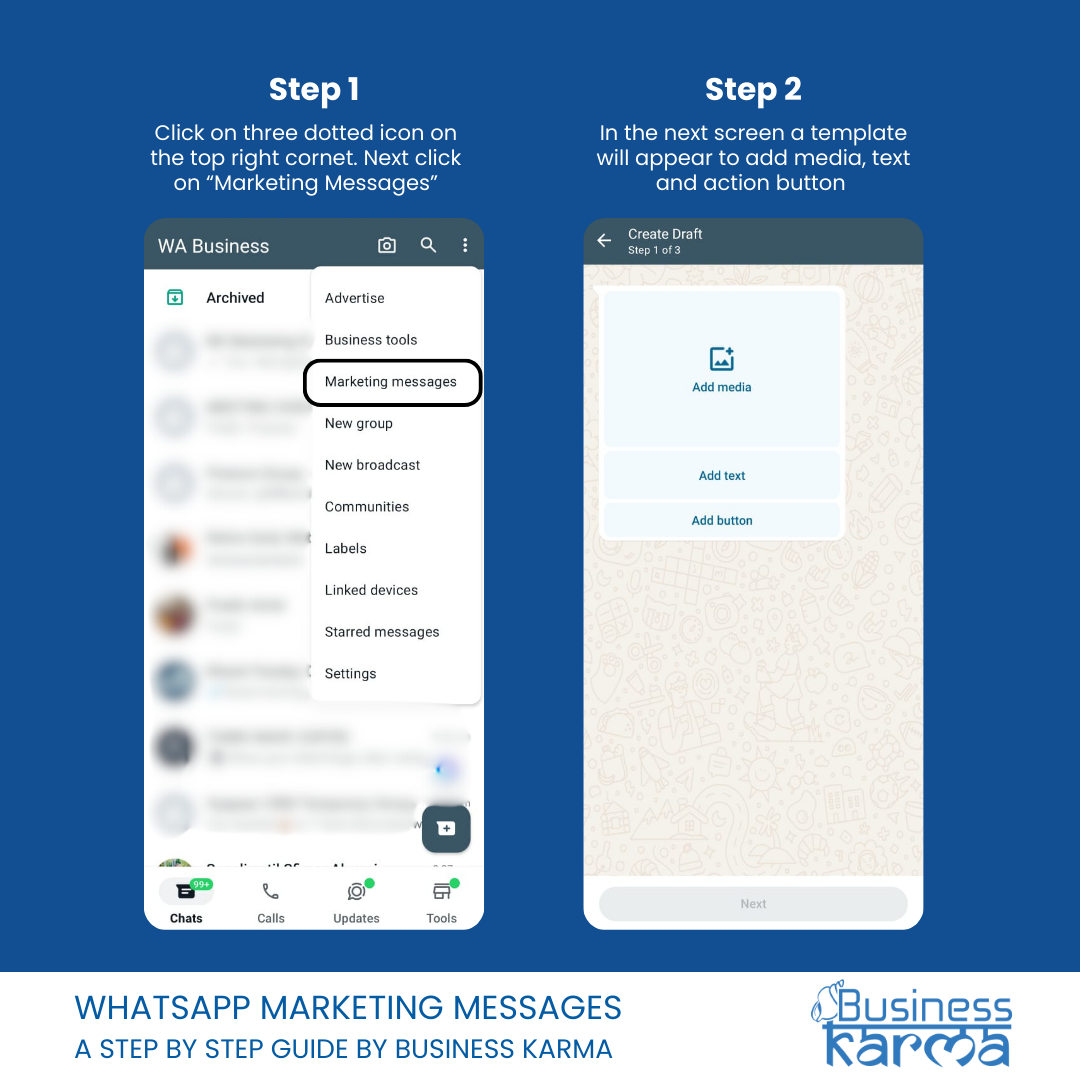
Step 1 & 2: Getting Started with Marketing campaigns:
Click on the three-dot icon in the top-right corner.
Next, click on “Marketing Messages”. On the next screen, a template will appear where you can add media, text, and action buttons.
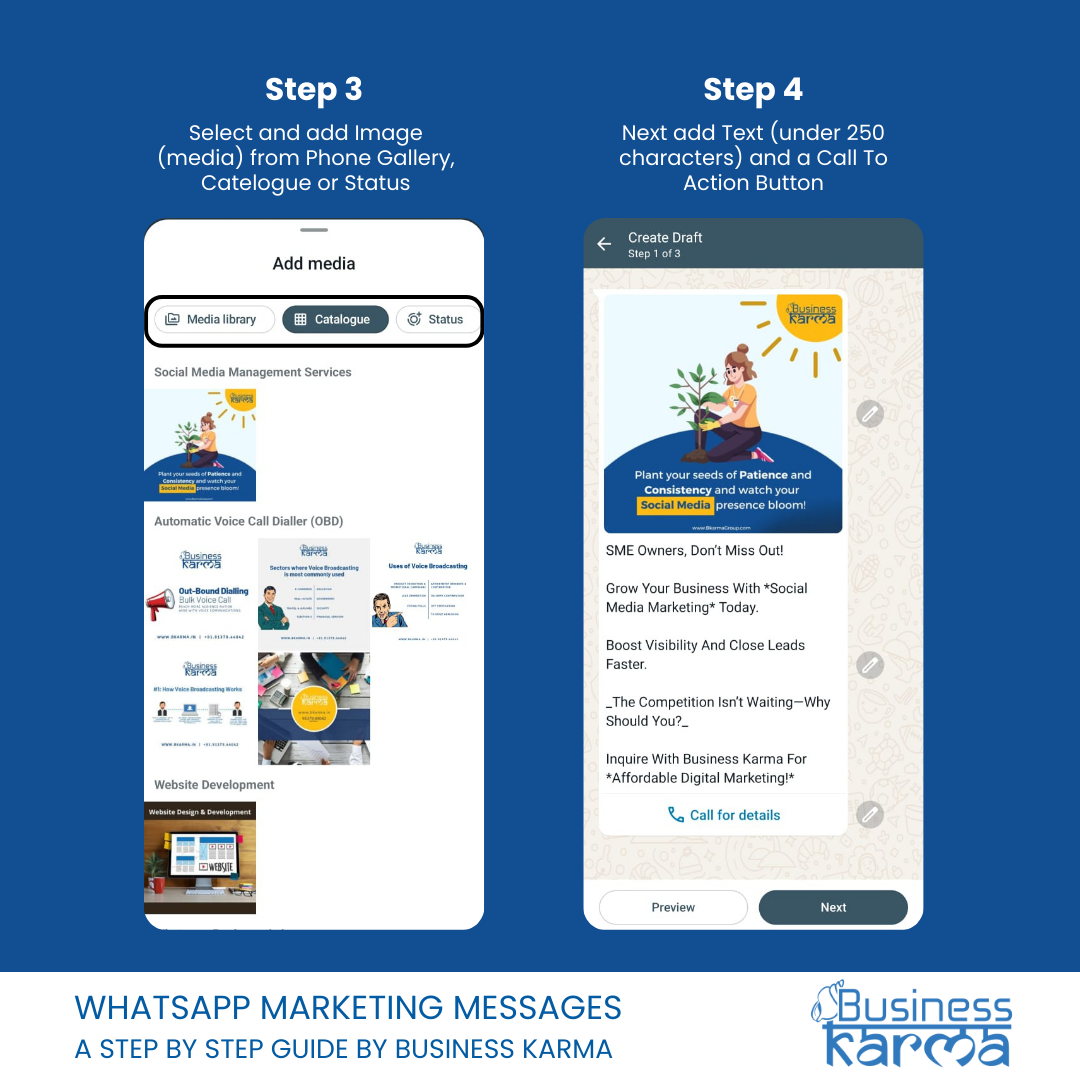
Step 3 & 4: Add Media, Text, and Action Button
Select and add an image (media) from your phone gallery, catalog, or status.
Next, add text (under 250 characters) and a call-to-action button.
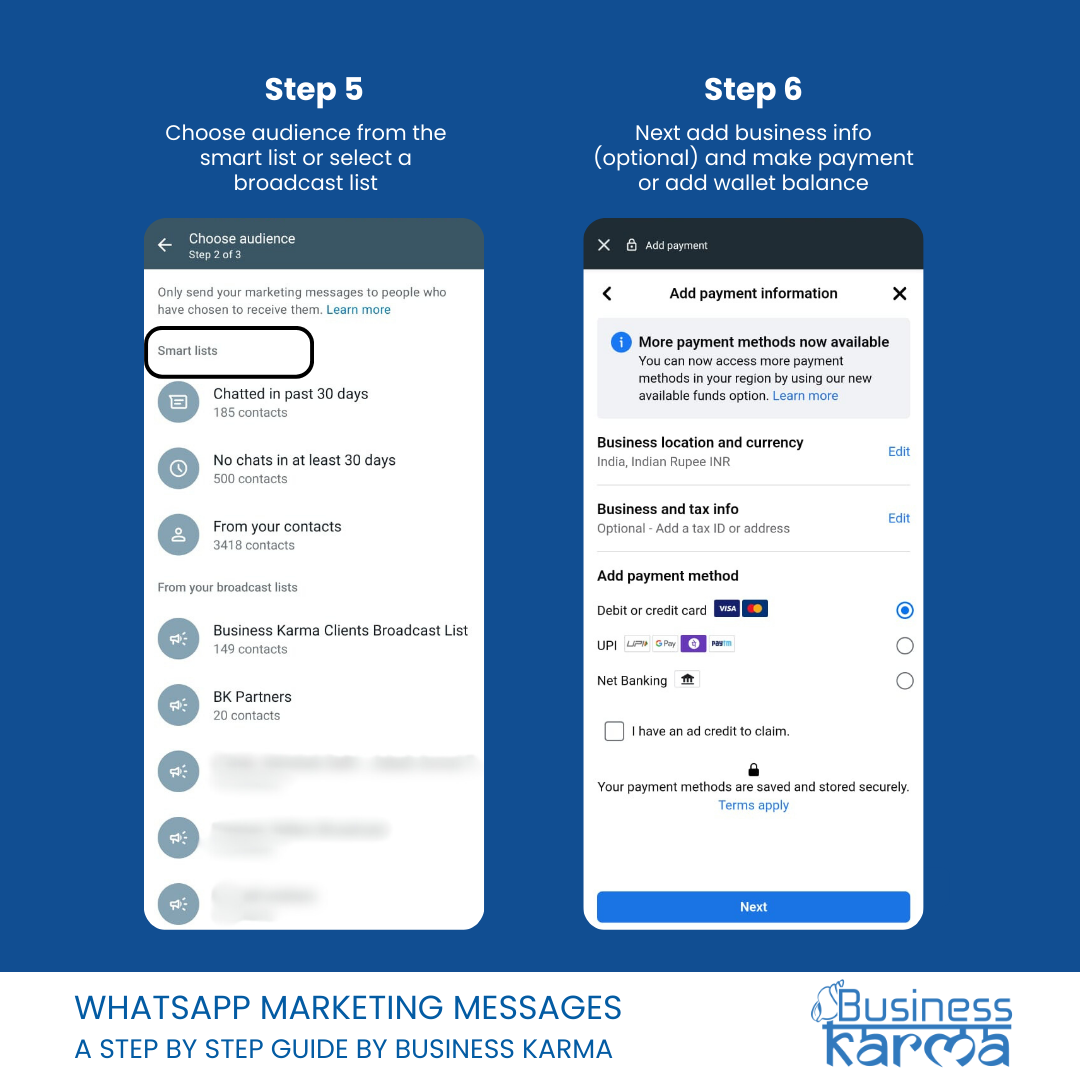
Step 5 & 6: Select Audience and Finalize Details
Choose your audience from the Smart List or select a Broadcast List.
Add business information (optional), then proceed to make a payment or top up your wallet balance.
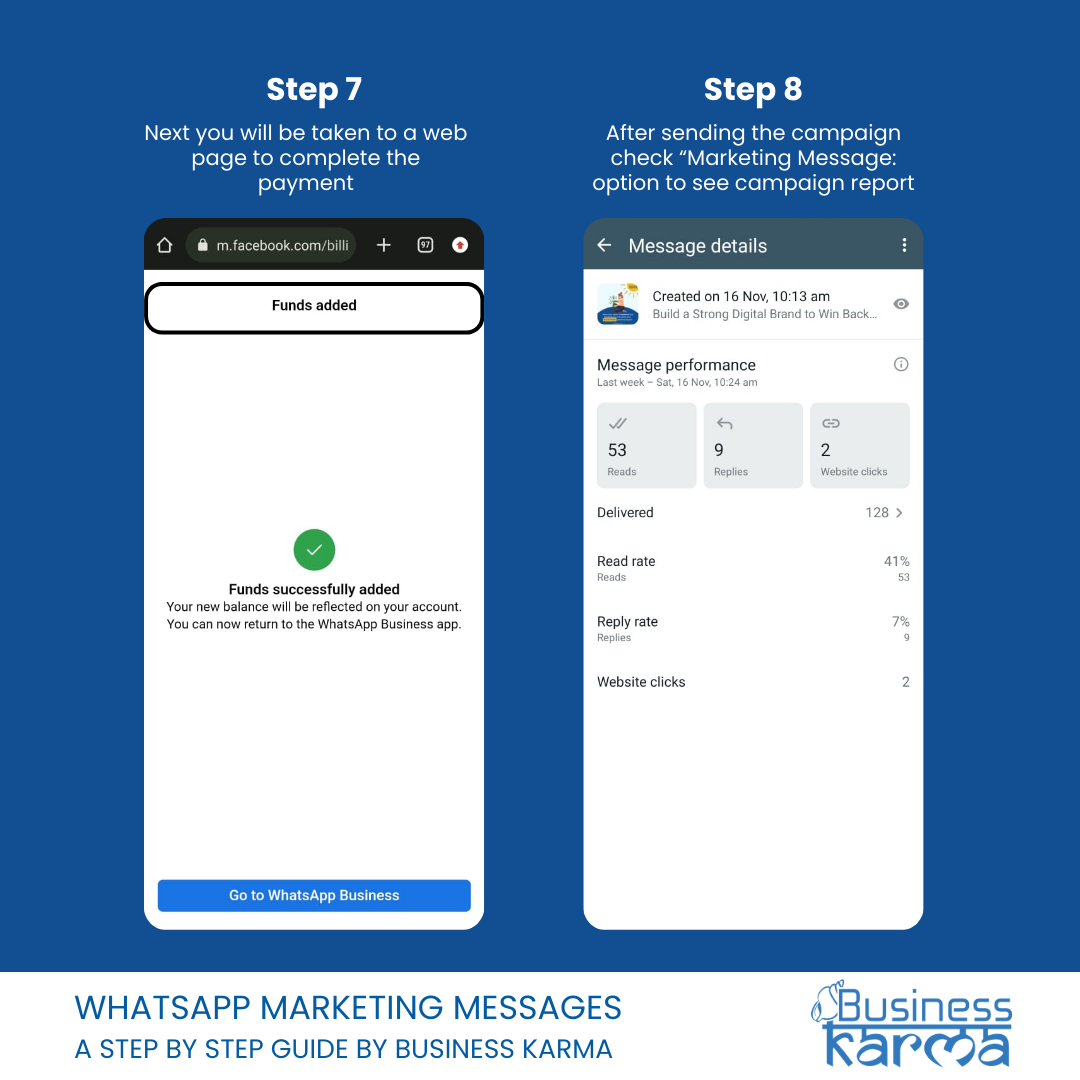
Step 7 & 8: Select Audience and Finalize Details
You will be redirected to a web page to complete the payment.
After sending the campaign, check the “Marketing Messages” option to view the campaign report.
Best Practices for WhatsApp Marketing Messages
To ensure success, keep these tips in mind:
Keep It Short and Sweet: WhatsApp is designed for quick, impactful communication. Avoid long paragraphs.
Respect Privacy: Always get consent before messaging and provide an opt-out option.
Focus on Value: Clearly articulate how your message benefits the recipient.
Further Resources to Explore
Looking to learn more? Check out these valuable resources:
Business Karma is a Global Marketing agency that provides services for lead generation, website optimization, social media engagement and mobile marketing.
For business engagement send query to sales@bkarmagroup.com or Call on +91.8850.10.1835.